Products
Arvio Partner
The installer's tool: set up hubs, rooms, scenes, automations and screens, then hand the home over to its owner.
- 10
- sections in each installation
- 35
- connections to brands and protocols
- 5
- steps to set up a 24/7 space
On this page
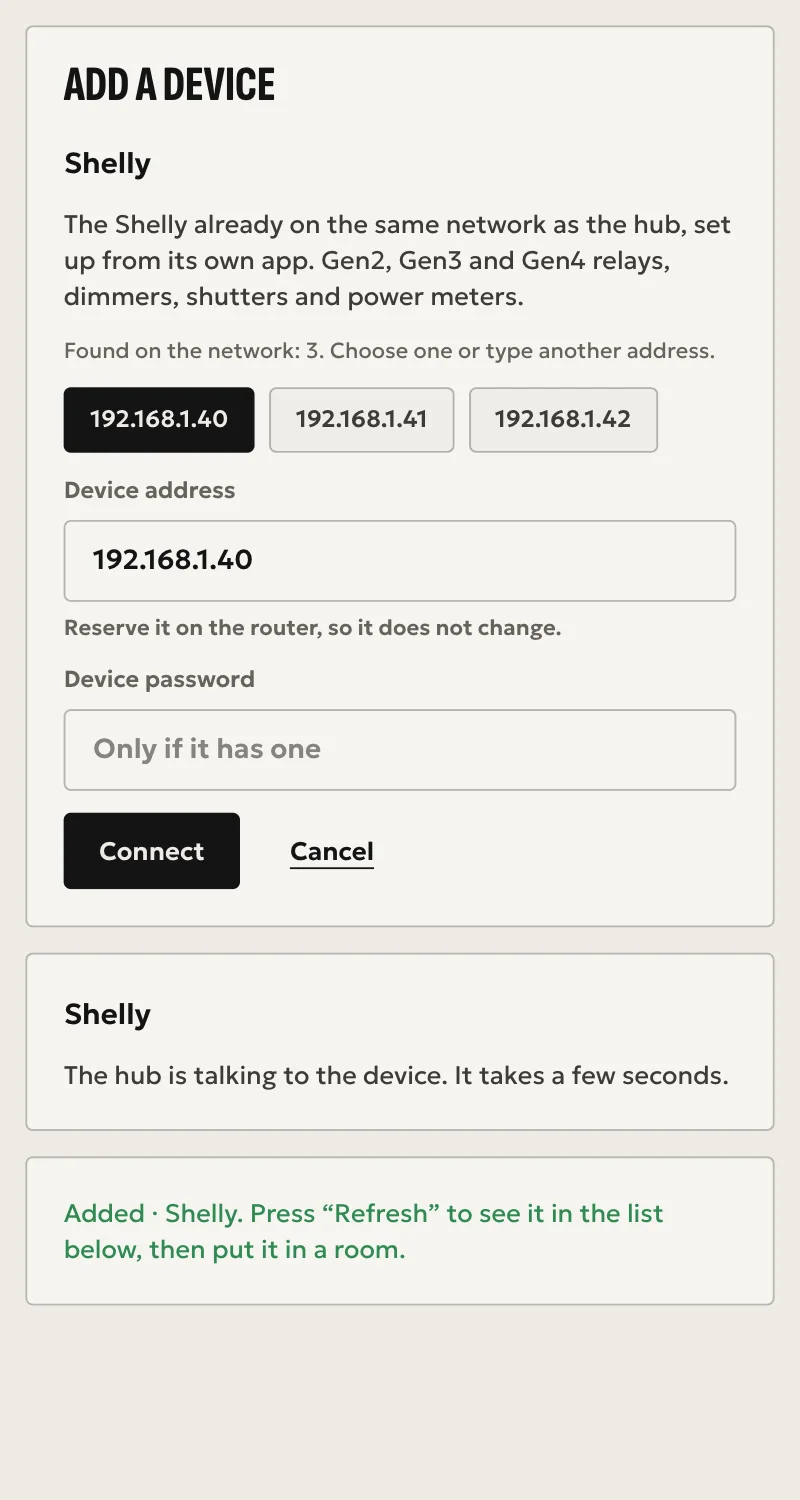
Arvio Partner is the installer's tool. You take a ready hub, tie it to a space, set up rooms, scenes, automations and screens, and hand it over to the owner. It all happens in a browser, without a terminal and without opening ports on the router.
A new installation
On site you need the hub, Ethernet, a Partner account and a phone with a camera. The hub and the owner can both wait until later.
What it is
Give it a name. Every new installation starts as a home, and becomes a 24/7 space once SFK switches the driver on for the hub.
The hub
Connect power and Ethernet and test that it starts by itself after a power cut. Scan the QR code on the label and enter the 6-digit code from the hub's screen. The QR alone is not enough: this proves you are standing in front of the box.
The owner
Enter their email. They get an invitation with a link and a code.
Done
Move on to devices, rooms and scenes. Overview shows what is left before handover: hub online, a room for every device, a fresh backup, the owner invited.
What each installation has
| Tab | What you do |
|---|---|
| Overview | Hub state, faults and handover checks |
| Devices | All devices with filters. Zigbee pairing |
| Rooms | Assign devices to rooms on the spot |
| Model | Three steps: draw the rooms, place the devices on the plan, and the customer sees the house in 3D. Light photos per room |
| Screens | Pages of tiles for wall panels. The hub finds and installs Android panels. A QR code for iPads |
| 24/7 space | Once SFK switches the driver on for the hub. A five-step guide: space, package, page, contact, publish |
| Automations | Scenes, When, If, Then automations, arrival and departure programs with presence simulation, and which scenes appear in Home |
| People | Owner, members and presence |
| Hub | Version, backup and the Ajax connection |
| Log | The installation's events, line by line |
The home belongs to the customer
Your company and your customer are separate organizations. You set up and support, and the owner decides who has access.
Support access
As the installer you have support access. The owner sees it under People, learns when it ends and removes it whenever they want.
Your email in the house
Your email becomes a member or owner of a house when the owner gives it that role. In a house with no owner, you can name your own address as owner.
No shared admin
There is no shared password or login across hubs, for you or for SFK.
Bookings stay with the owner
In a 24/7 space you set up locks, sensors and recipes. You do not see customers' names, emails or codes.
Roles in your company
Owner, manager and technician. A technician can set up a 24/7 space but cannot change packages and prices.
Tools that save time
Automations from plain Greek
Write what you want in plain Greek and the When, If, Then card fills itself in. You check it before saving.
Panels with no typing
“Find panels” searches the local network and the hub installs the app. On an iPad, a QR code.
Driver catalogue
A public catalogue of what each driver does, its limits and its permissions. Import one into an installation with one click and see its instructions there, in Greek and English. Nothing is downloaded: the driver is already in the hub's signed software.
Questions
How do I become a partner?
By invitation from SFK. There is no self sign-up. Talk to us and, if it fits, we send an invitation to your company's email. Being a partner costs €99 + VAT a year.
Does it need a terminal?
Not for the work on site. The hub comes ready from SFK: power, Ethernet, QR code.
What if the customer changes installer?
The owner removes your access. The home and its data stay as they are.
What language is it in?
Partner's screens are in Greek. The catalogue and the driver instructions are in Greek and English.
Is there a mobile app?
Partner opens in any browser. There is also an iOS app that loads it.
Are you an installer?
Partner opens by invitation from SFK, and the catalogue is public. Installer prices are on the For installers page.
Tell us about your space
Tell us what you have and what you want, and we will work out together what your space needs.